When I moved in with my wife Laura in 2005, we lived in a shared apartment in
Barcelona that had an ancient washing machine that was just there already, no
idea who initially bought it. I managed to break the washing machine door's
closing mechanism some time in 2006, so for a few weeks, whenever we did the
washing, we had to lean a chair against the door so it wouldn't open. At the
time, we were both students and living on a small budget.
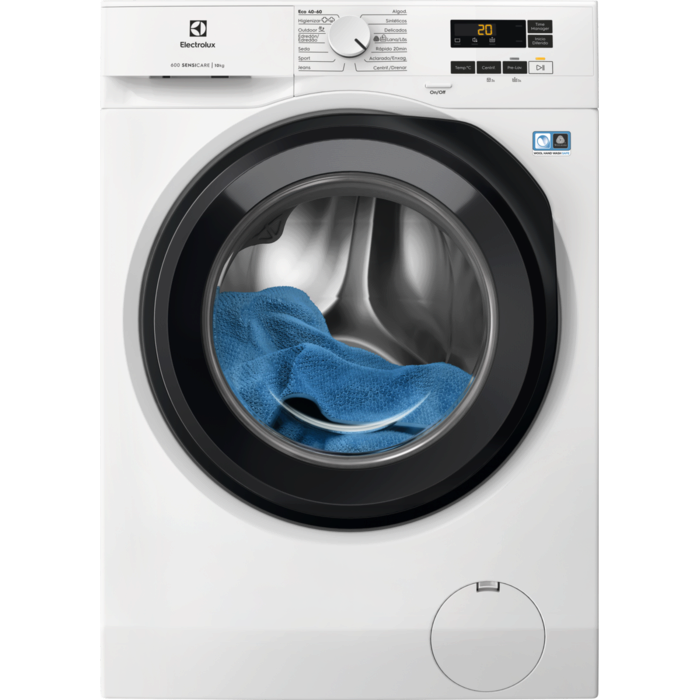
Eventually, later in the same year, we bought an Electrolux machine that has
accompanied us ever since. First on our move to Hamburg, then there through
three apartments, and finally back to Spain, where we live now in the Catalonian
countryside. Anyway, the washing machine had a motor damage last week, so after
almost 20 years, it was time for a new one. I ordered it online (another
Electrolux, without Internet nor WiFi), it was delivered swiftly, and I
installed it hopefully correctly.
The washing machine came with a voluntary 10 year warranty if you registered it.
The brochure where this offer was announced featured a free telephone number and
a QR code that pointed at the number (in plain text, not making use of the
tel: protocol). I called the number, and to my absolute surprise there were
currently more callers than usual. After about 20 minutes, I had an agent on the
phone, but after saying what I wanted, they just hung up on me (or the
connection cut, whatever). Fine, I called again, but now, the call center was
over capacity and they didn't even let me enter in the wait loop.
They did offer to send me a link to a chat service on their website via SMS,
though, so I went for that option. The SMS literally pointed me at something
like https://www. broken up by a space and then example.com/gc/. When I
clicked the linkified example.com/gc/, I ended up on a broken site whose
certificate wasn't trusted. After fixing the link manually and prepending the
https://www. part, the page didn't load.
At this point I was close to giving up, but I had one last card that I wanted to
play: I searched Google for "electrolux warranty register", and it pointed me at
a site https://www.example.com/mypages/register-a-product/ as the first
result. This looked promising. The mypages already suggested that this was
gated behind a login, so I created an account, which was painless. (Turns out,
after having an account and being logged in, the chat URL also worked—what an
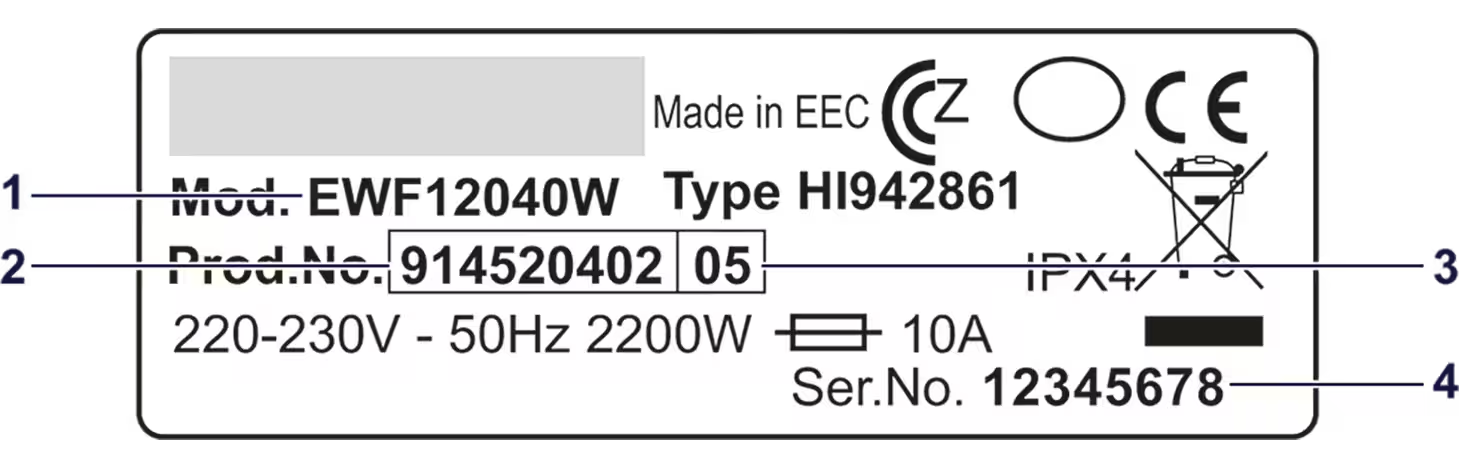
oversight on their part.) On the page, they had a field where you could enter
the washing machine's product number from the identification plate on the door
of the washing machine, together with helpful information where to find the
data.
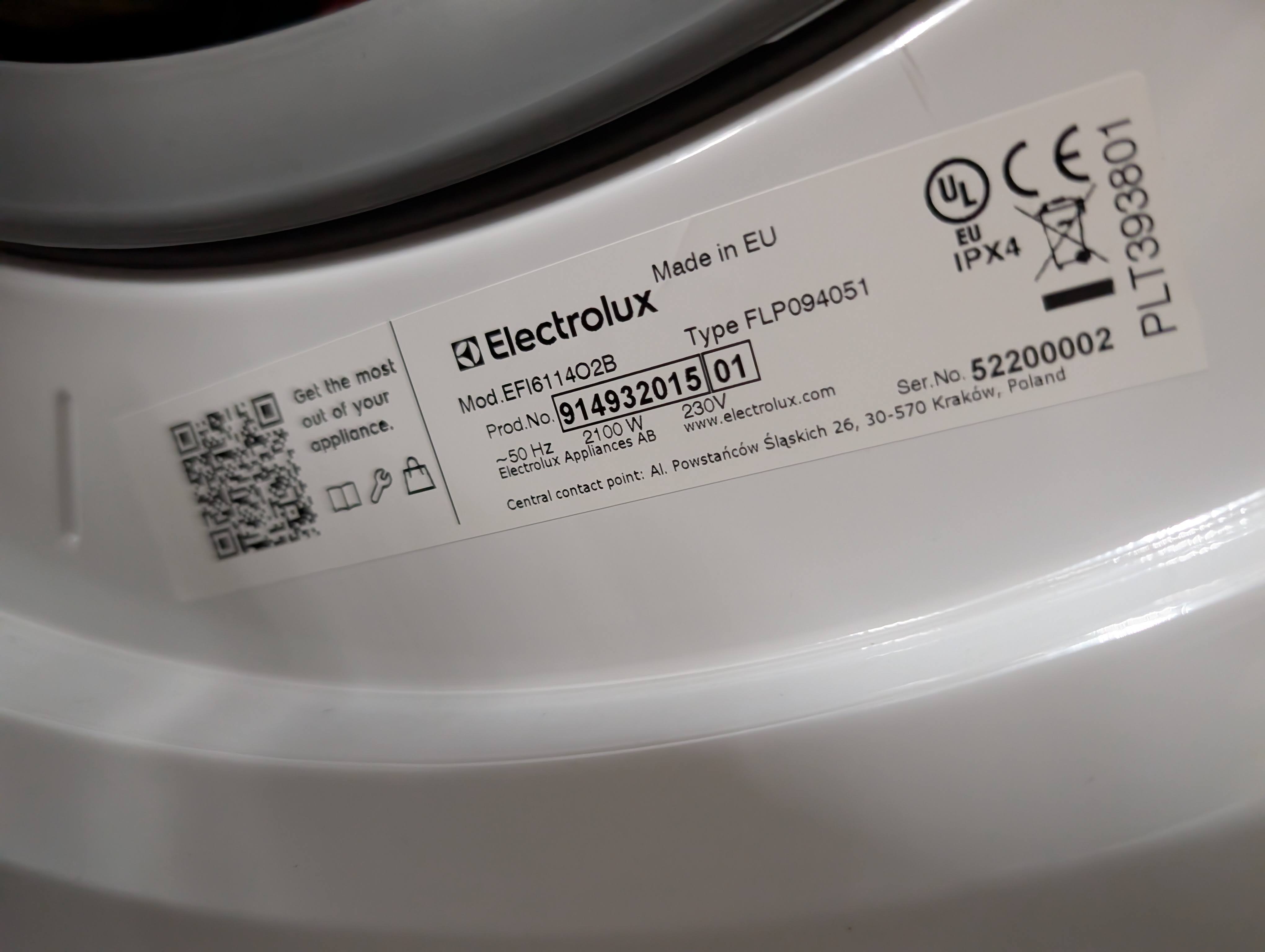
But even better, they offered a service where you could just upload a picture of
the identification plate, and some AI on their server then extracted the product
number and let you register the product with two clicks. What a fantastic
experience compared to the crappy (and likely for the operator way more
expensive) call center experience.
Why they didn't just put this URL on the brochure and the QR code is beyond me.
As the title suggests: For all that's holy, can you just leverage the Web,
please? Don't make me talk to people! They could still offer to register the
machine by telephone as an alternative, but in 2025, the default for such things
should just be the Web.
Bonus 🔗
Since I work on built-in AI as
my day job in the Chrome team at Google, I could not not notice this "extract
the product number from this identification plate" use case for client-side AI.
I coded up a quick
demo
using the Prompt API embedded
below that shows this in action. Here's a quick walkthrough of the code:
- Create a session with the
LanguageModel, informing the user of download
progress if the model needs to be downloaded, and telling the model about the
to-be-expected inputs (English texts and images) and outputs (English texts).
In the system prompt, I tell the model what its overall task is (identify
product numbers from photos of identification plates).
- Prompt the model using the
promptStreaming() method with a multimodal
prompt, one textual and one image. The Prompt API supports
structured output
in the form of a JSON Schema or regular expression. Product numbers have nine
digits, so I pass the regular expression /\d{9}/ as the
responseConstraint option.
- Iterate over the chunks of the response. Since I'm just expecting nine
digits, this is probably a bit overkill, but, hey…
- (Not shown) On the server, verify that the recognized product number actually
exist. Companies typically have some sort of verification rules like
checksums, or washing machine product numbers always start with
91 or
something. If you know those rules, you can of course make them part of the
responseConstraint, but you always need to verify untrusted user input
(which the output of an LLM counts as) on the server.
const session = await LanguageModel.create({
  monitor(m) {
    m.addEventListener('downloadprogress', (e) => {
      console.log(`Downloaded ${e.loaded * 100}%.`);
    });
  },
  expectedInputs: [{ type: 'text', languages: ['en'] }, { type: 'image' }],
  expectedOutputs: [{ type: 'text', languages: ['en'] }],
  initialPrompts: [
    {
      role: 'system',
      content:
        'Your task is to identify product numbers from photos of identification plates.',
    },
  ],
});

const stream = session.promptStreaming(
  [
    {
      role: 'user',
      content: [
        {
          type: 'text',
          value:
            'Extract the product number from this identification plate. It has nine digits and appears after the text "Prod.No.".',
        },
        { type: 'image', value: image },
      ],
    },
  ],
  {
    responseConstraint: /\d{9}/,
  }
);

for await (const chunk of stream) {
  console.log(chunk);
}

This post appeared first on https://blog.tomayac.com/2025/09/03/for-all-thats-holy-can-you-just-leverage-the-web-please/.